
💡 Why send DMs when someone comments?
Moving conversations into DMs is where most conversions happen. When someone comments with interest or curiosity, a timely private message keeps the conversation going even if you’re not online. DM rules run automatically, 24/7.✅ Before you start
- Processing Mode must be set to Advanced in Settings > Config. If left on Standard, a comment that should trigger both a reply and a DM will only receive one action.
- If you are using AI agent replies, your agent must be configured by the Exerta team before those rules will work. Predefined reply rules do not require an agent. Contact your team if you need an agent set up.
- You need two separate rules per platform: one keyword-triggered and one sentiment-triggered.
- It’s not required for you to have 2 rules. Some users might want to just send a DM to everyone that says a particular keyword in the comments, but not every interested comment.
🔑 Rule 1 - Keyword-triggered DM
This rule fires when someone uses a specific word or phrase in their comment, such as “send me the link” or “promo code.” It sends a targeted DM immediately, without needing to analyse sentiment. Use this rule on its own if you only want to DM people who use specific trigger words. For example, if you’re running a promotion and only want to send a promo code to people who ask for it directly. This is also useful for catching comments that your sentiment rule might misclassify. For example, a comment like “this is too expensive” might be detected as negative by the AI, but you may still want to send that person a promo. A keyword rule catches it regardless of how the sentiment is classified. You can use this rule with an AI agent or a predefined (stock) reply. A predefined reply is a good option when the response is always the same, for example, a fixed promo code message.Step 1 - Name your rule
Give the rule a descriptive name so you can identify it later. Example:Comment 2 DM Keyword - Facebook
💡 Include the platform and rule type in the name. Clear naming prevents confusion when you have multiple rules running.
Step 2 - Set the Moderation Target
Select which platform this rule applies to.
⚠️ You need a separate rule for each platform. An Instagram rule will not catch Facebook comments, and vice versa.
Step 3 - Select engagement type
Choose whether this rule applies to paid engagement, organic engagement, or all engagement.Step 4 - Select your pages
Select the pages this rule applies to, or click Add all pages to apply it across all connected pages.Step 5 - Set the condition and add keywords
- Set Condition to Contains Keywords
- Add your trigger keywords - words or phrases that signal high buying intent
promo codesend me infolinkhow do I get this
Step 6 - Set the action
Set Action to Reply via DM with AI agent or Reply via DM with predefined reply, then select your agent or reply group.Step 7 - Submit and activate
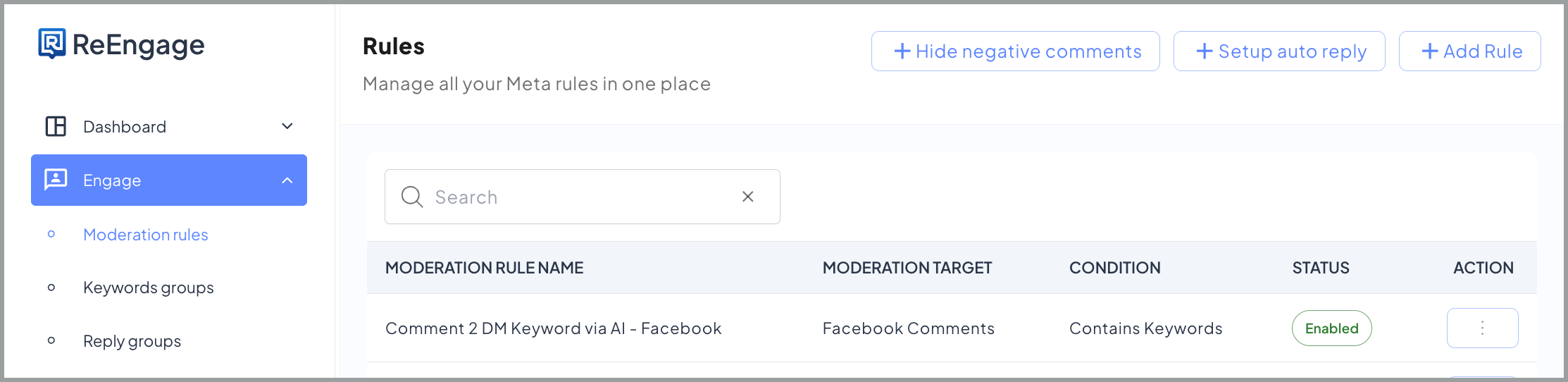
Click Submit to activate the rule.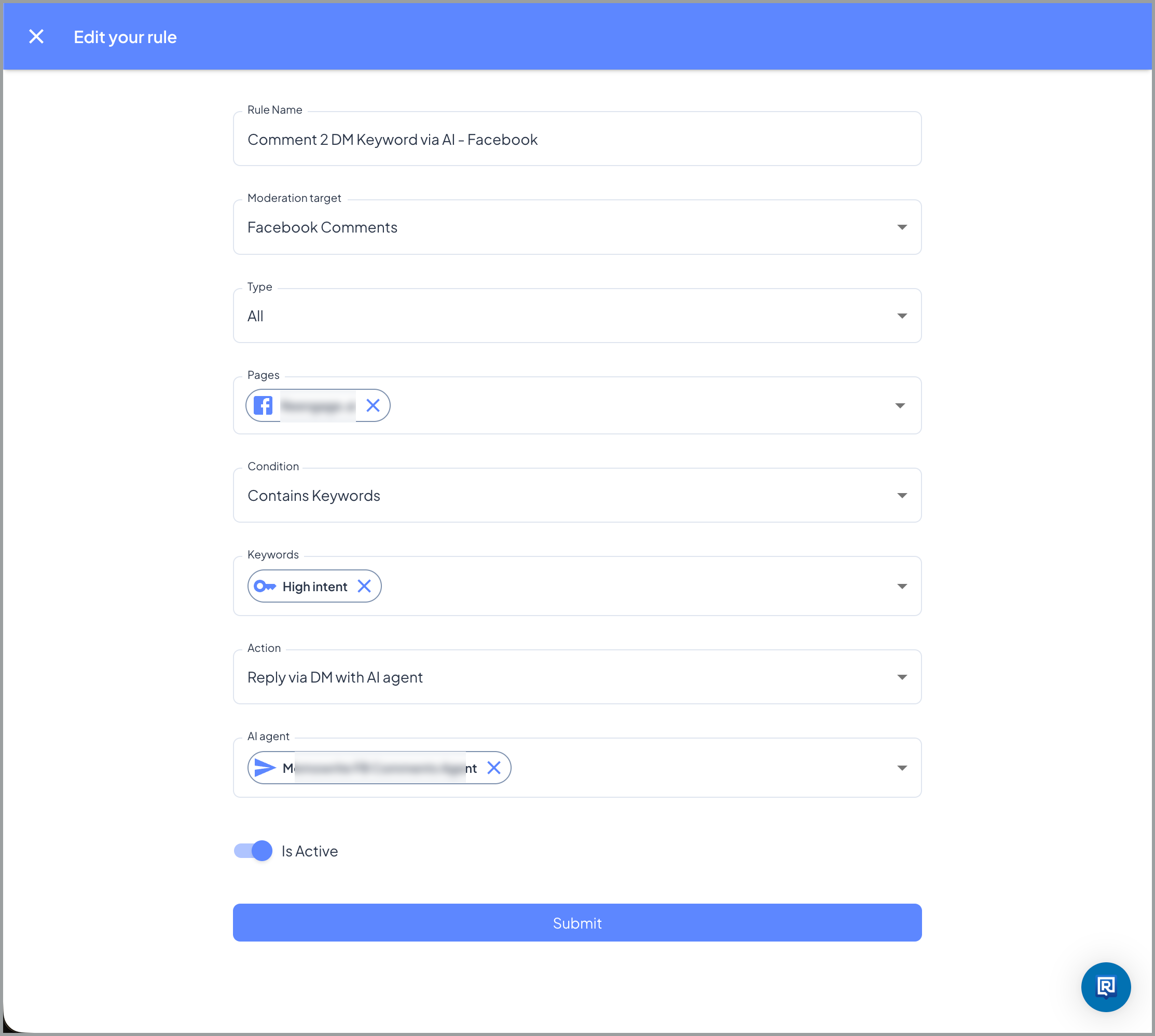 ✅ You’re done with Rule 1 when it appears in the Rules list with an active status, Contains Keywords condition, and your agent assigned.
💬 Rule 2 - Sentiment-triggered DM
This rule fires when someone’s comment matches a sentiment label, even if they don’t use any specific trigger phrase. Add this rule if you want to reach everyone showing interest, not just people who use a particular keyword. If you only want to DM people who use specific trigger words, Rule 1 is all you need.Step 1 - Name your rule
Example:Comment 2 DM Sentiment - Facebook
Step 2 - Set the Moderation Target
Select the same platform as Rule 1.⚠️ You need a separate rule for each platform. An Instagram rule will not catch Facebook comments, and vice versa.
Step 3 - Select engagement type
Select the same engagement type as Rule 1.Step 4 - Select your pages
Select the same pages as Rule 1, or click Add all pages.Step 5 - Set the condition and exclusion keywords
- Set Condition to Does Not Contain Keywords but Sentiment Matches
- In the keyword field, add the same keywords from Rule 1. This is the exclusion list, not a trigger.
Step 6 - Select sentiment labels
Under Sentiment Labels, select Neutral, Interested, Positive. 💡 Include all three labels. Many genuinely interested comments get classified as Neutral, not Interested. See Understanding Sentiment Labels. 📋 Want to target higher intent only? Select Interested only if you want this rule to fire only for comments with explicit buying signals. You’ll reach fewer people but with higher intent.Step 7 - Set the action and select your agent
- Set Action to Reply via DM with AI agent
- Select your Comment 2 DM agent from the dropdown
Step 8 - Submit and activate
Click Submit to activate the rule.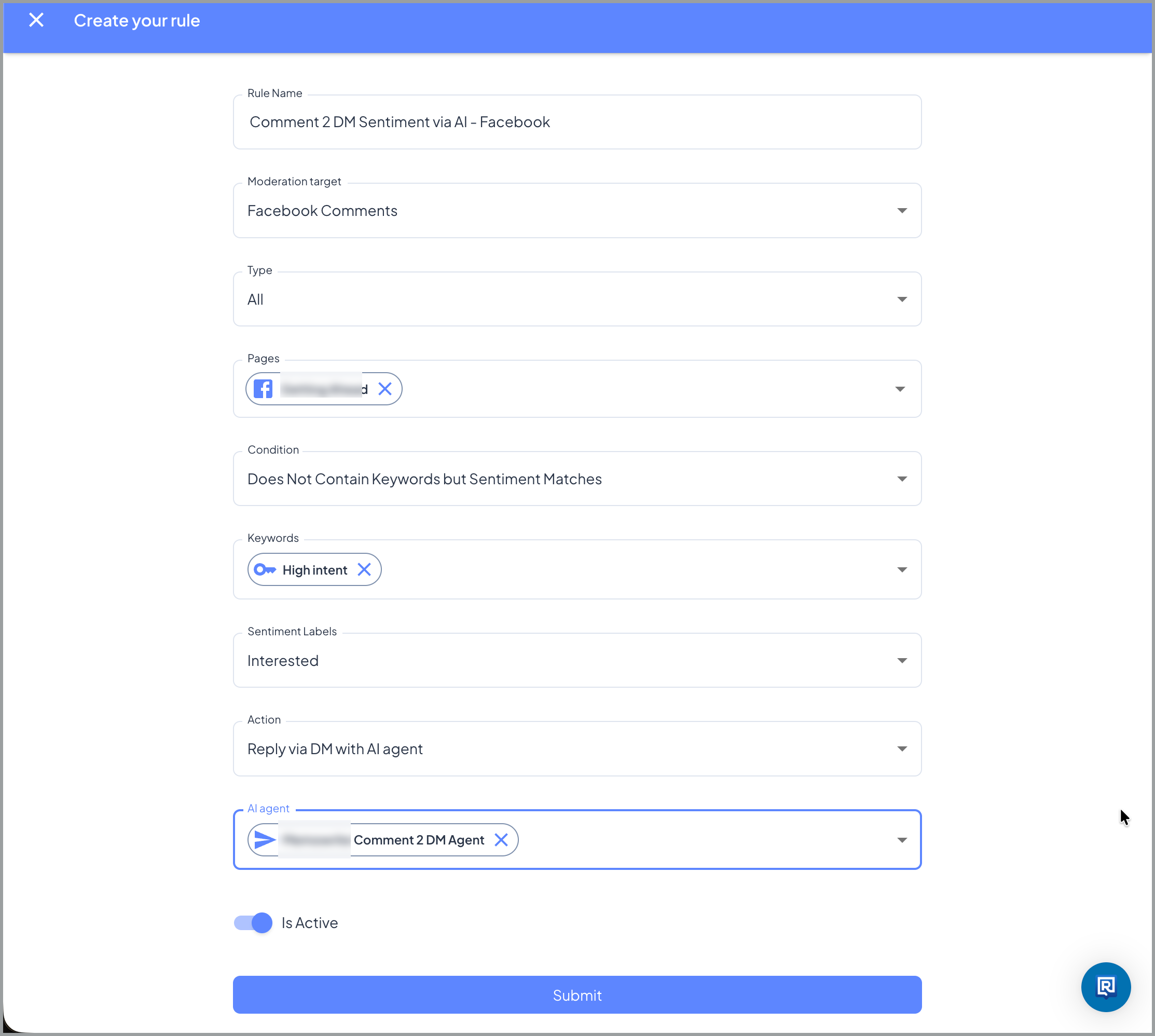
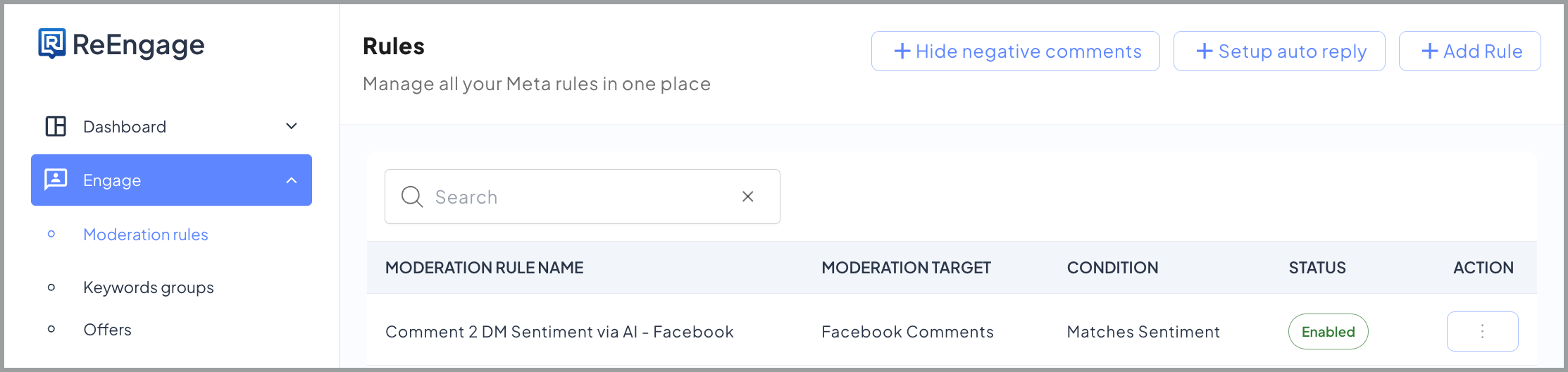
✅ You’re done when Rule 2 appears in the Rules list with an active status.
🔄 What happens next - DM 2 DM
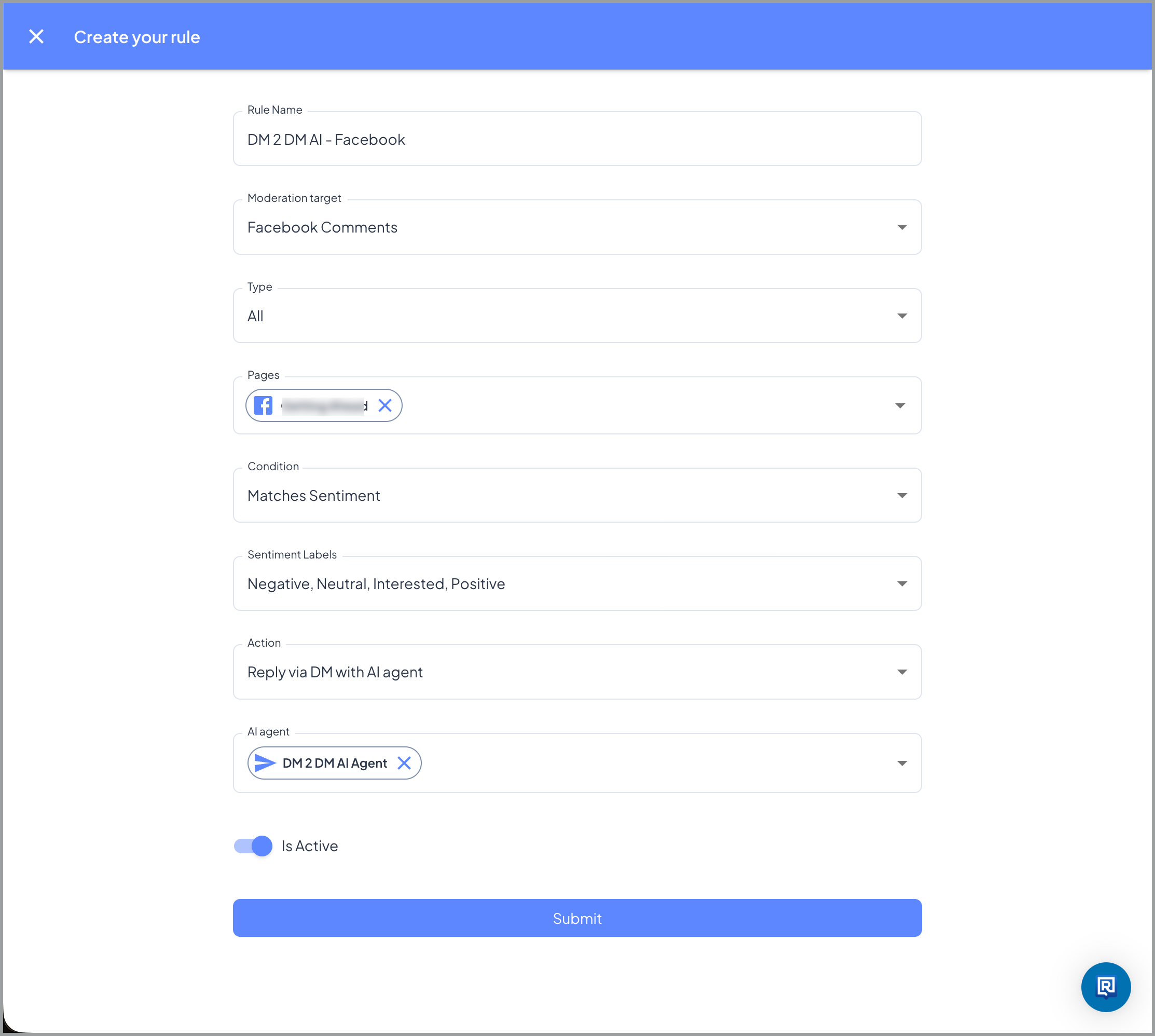
Setting up DM 2 DM
Create a separate rule with the following settings:💡 DM 2 DM uses all four sentiment labels. You want your agent to respond to every reply in the DM thread, positive, negative, or neutral, so include all labels unless you have a specific reason to narrow the scope.
📋 Both rules work together because Processing Mode is set to Advanced. Comment 2 DM and DM 2 DM can both fire correctly in the same setup.
🔍 Q: Do I need both rules or just one?
It depends on your goal.- Rule 1 only - use this if you want to DM people who use specific trigger words in their comment. For example, sending a promo code to anyone who comments “promo code” or “send me the link.”
- Both rules - use this if you also want to reach everyone showing interest, even if they don’t use a specific phrase. Rule 2 catches comments based on sentiment so no genuinely interested comment slips through.
🔍 Q: Why do I add keywords to Rule 2 if it’s a sentiment rule? The keywords in Rule 2 act as an exclusion filter, not a trigger. Adding your Rule 1 keywords here ensures the same comment isn’t picked up by both rules.
- If someone comments “promo code please,” Rule 1 fires because it contains a keyword
- Because “promo code” is in Rule 2’s exclusion list, Rule 2 does not also fire
- Without the exclusion list, both rules could match the same comment
🔍 Q: Should I use all three sentiments or just Interested? Using all three sentiments (Neutral, Interested, Positive) gives you broader coverage and is generally recommended. Many comments that represent real buying intent are not classified as Interested.
- Curiosity comments (“Hm”, “Really?”) are often classified as Neutral
- Affirmative reactions (“So me”, “Same”) are often classified as Positive
- Short reactions and single emoji comments are often Neutral or Positive
🔍 Q: Will someone receive a DM if their comment was already hidden? Yes. Hiding a comment does not stop a DM from being sent. If Processing Mode is set to Advanced and a DM rule also matches the comment, the commenter will still receive the DM even if their comment has been hidden. From the commenter’s perspective, the business responded privately and they can still see their own hidden comment.
🔍 Q: Can a comment trigger both a reply and a DM? Yes. If Processing Mode is set to Advanced, both a comment reply rule and a DM rule can fire on the same comment. This is intentional for some setups. For example, the comment reply might send a short acknowledgment and tell the commenter to check their DMs, while the DM rule sends them a promo link privately. Your Exerta team can help you set this up correctly.
🔍 Q: Do I need an AI agent for DM rules or can I use a predefined reply? You can use either. If you want a fixed, consistent message sent to everyone who triggers the rule, you can use a predefined reply instead of an AI agent. This is a common setup for keyword-triggered rules where the response is always the same, for example a promo code message. See Setting Up Reply Groups for how to create predefined replies.