> ## Documentation Index
> Fetch the complete documentation index at: https://docs.exerta.ai/llms.txt
> Use this file to discover all available pages before exploring further.
# How to setup tracking with GTM?
> Step-by-step instructions for setting up Exerta conversion tracking using Google Tag Manager.
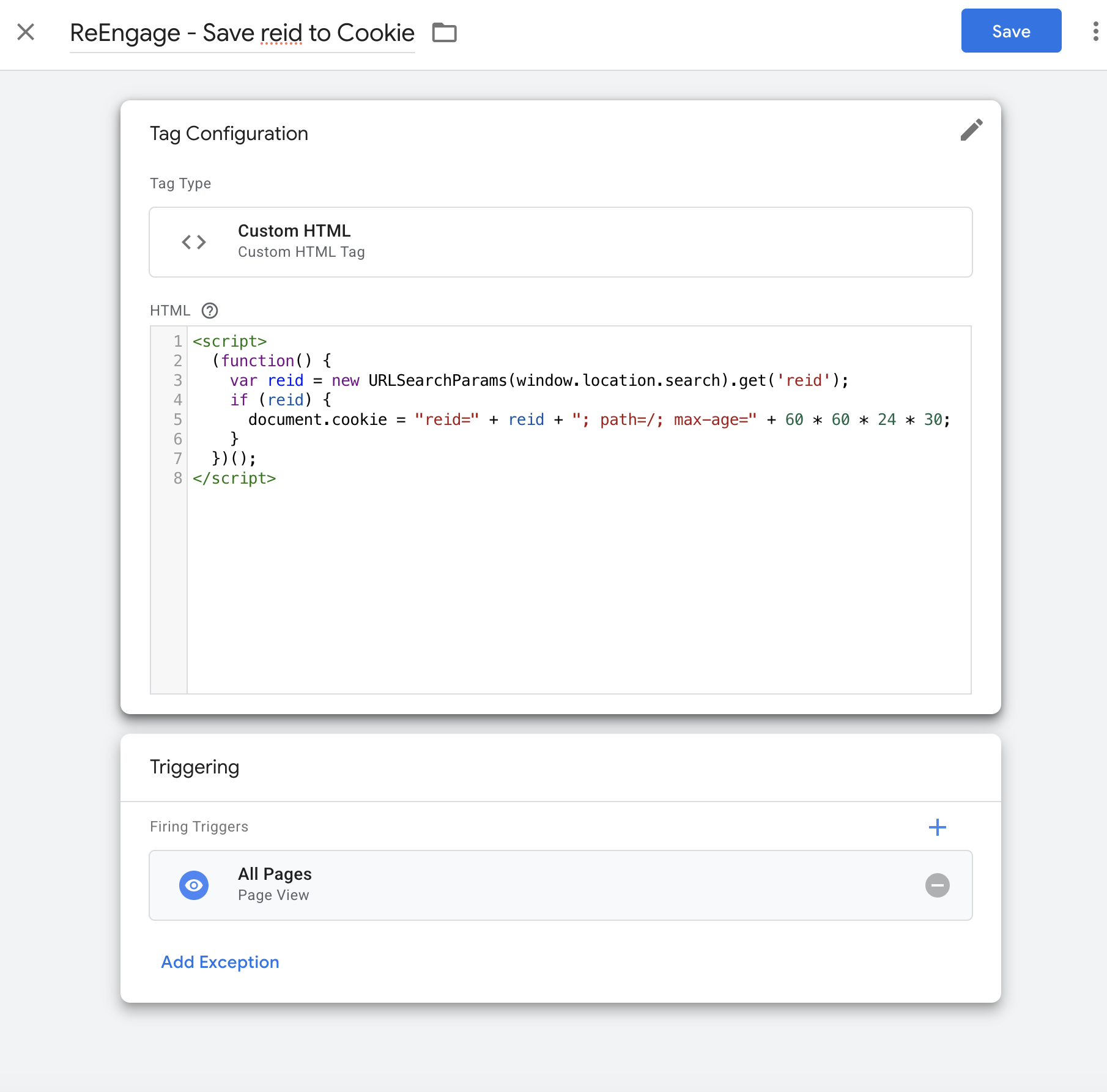
 Step 1: Capture `reid` from **URL param** into Cookie\
**Create new Tag:**
* Type: Custom HTML
* Name: `Exerta - Save reid to Cookie`
* HTML:
```html theme={null}
```
Trigger: All Pages
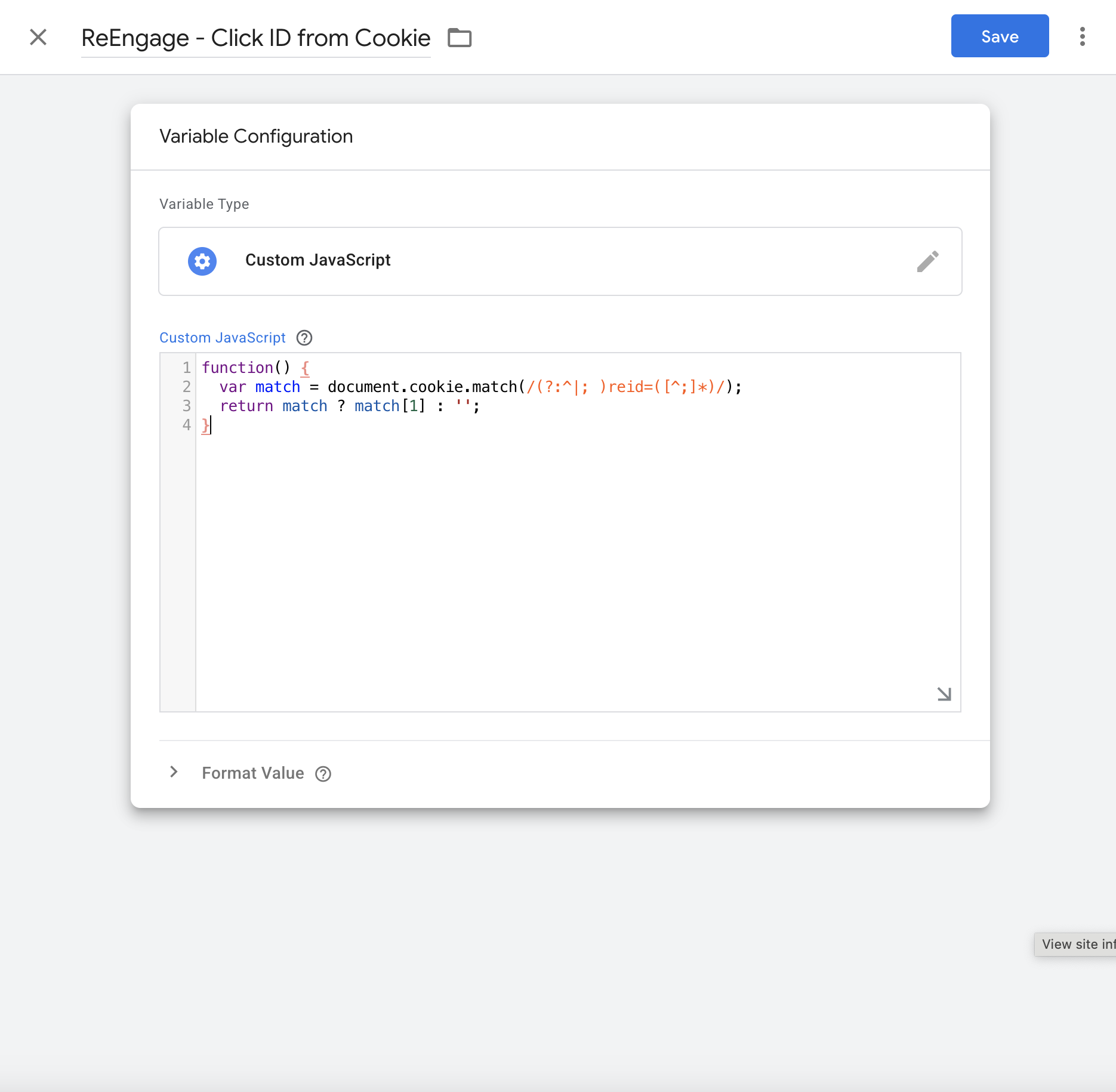
 Step 2: Read `reid` from Cookie\
**Create new Variable:**
* Name: `Exerta - Click ID from Cookie`
* Type: Custom JavaScript
```javascript theme={null}
function() {
var match = document.cookie.match(/(?:^|; )reid=([^;]*)/);
return match ? match[1] : '';
}
```
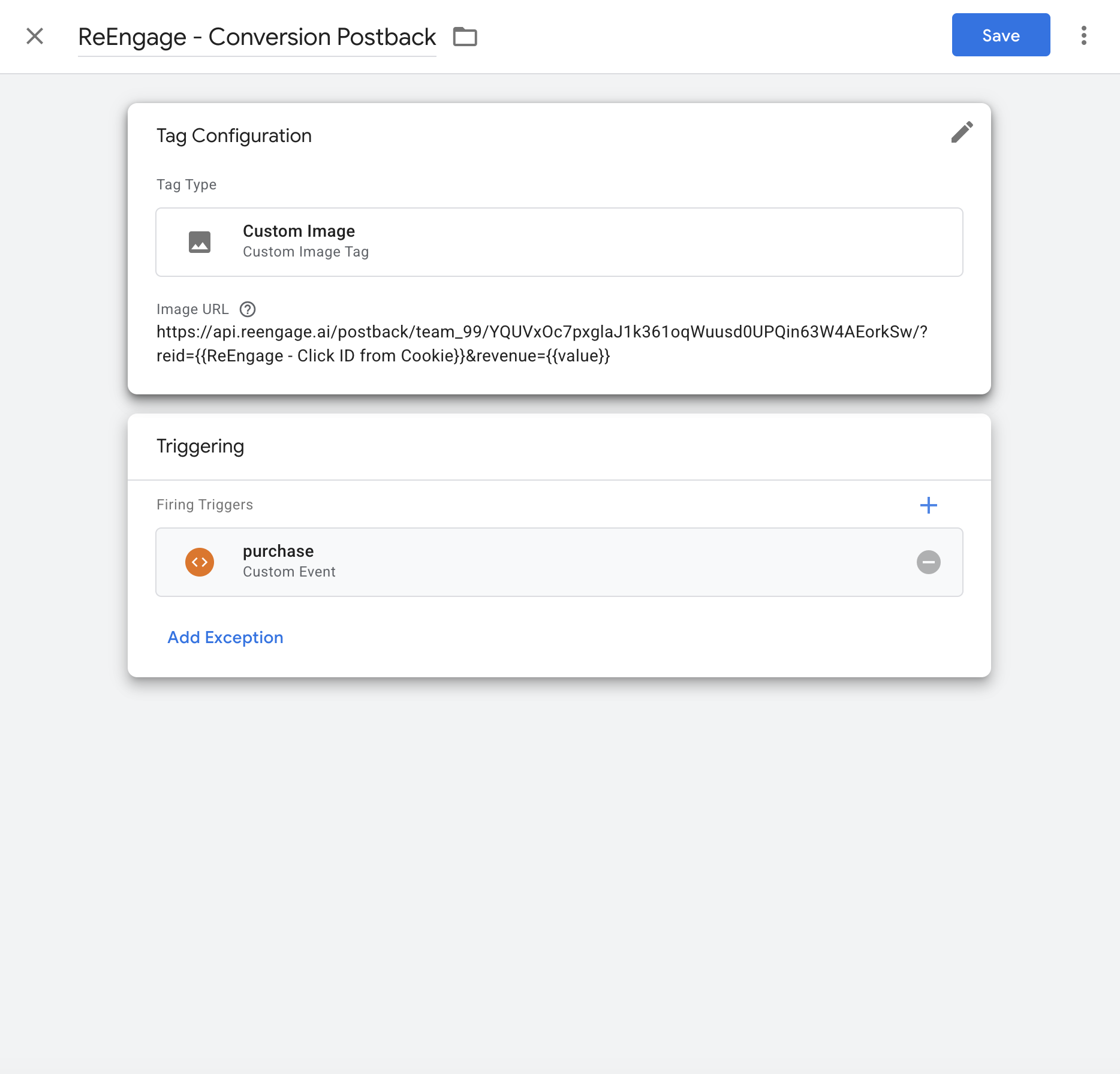
 Step 3: Send Postback on Conversion\
Tag:
* Type: Custom Image
* Name: `Exerta - Conversion Postback`
* URL:
```html theme={null}
https://api.reengage.ai/postback/team1/YQUVxOc7pxglaJ1k361oqWuusd0UPQin63W4AEorkSw/?reid={{Exerta - Click ID from Cookie}}&revenue={{replace_with_your_purchase_amount_variable}}
```
**Important notes:**
1. **Take your unique tracking link in your tracking setup dashboard** [**https://reengage.ai/dashboard/setup**](https://reengage.ai/dashboard/setup)
2. In the URL, replace this part `{replace_click_id}` with **\{\{Exerta - Click ID from Cookie}}**
3. In this URL, replace this part `{replace_conversion_value}` with your existing GTM variable that contains the **purchase amount** (e.g., total transaction value).
For example, if your GTM variable is named `Transaction Value`, update the postback like this:
```
...&revenue={{Transaction Value}}
```
#### 🧠 Example Final URL in GTM Tag:
```
https://api.reengage.ai/postback/team1/YQUVxOc7pxglaJ1k361oqWuusd0UPQin63W4AEorkSw/?reid={{Exerta - Click ID from Cookie}}&revenue={{Transaction Value}}
```
> **Note:** You must have both the `Exerta - Click ID from Cookie` and the correct `purchase value` GTM variables already configured.
Trigger: Use the existing **conversion** trigger that you use in your GTM
* `reid` is saved on the first page view (from URL)
* `revenue` is pulled from `you_variable_for_purchase_amount`
* Postback fires on successful purchase
To test it out, you can use GTM debug tool or browser dev tools with custom param reid=reid\_afzgntgixuc, it should be sent in GET request like so:
4 files
## Related topics
- [How to setup tracking](/analytics/tracking-setup.md)
- [Revenue Attribution: Track Sales Back to Every Comment](/analytics/attribution.md)
- [Exerta Basics & FAQ](/account/faq.md)
- [How to Set Up Custom Domain](/account/custom-tracking-domain.md)
- [AI Agents Overview: How Exerta Automates Engagement](/agents/overview.md)